YouTube Copyright Form and DMCA Takedown Steps (2026)
 Bruqi team
To get a YouTube video taken down, fill in the official YouTube copyright form in YouTube Studio, or email the same DMCA notice to YouTube’s copyright team. You give the exact video links, a description of your work, two legal statements and your full legal name.
- Form URL: youtube.com/
copyright_ complaint_ form - Email: copyright@youtube.com
If the request is valid, YouTube removes the video and the uploader’s channel gets a copyright strike. This guide covers the form step by step, the email route, claims and strikes, Content ID, privacy complaints and counter notifications.
Do your videos keep coming back on new channels? Bruqi is one of the top leak removal services for online creators, with over 51 million leaks removed and a place in Google’s Trusted Copyright Removal Program.
From $29 a month, its DMCA takedown service finds your leaks, delists them from Google and asks the sites to remove them.
What is a YouTube copyright removal request?
A copyright removal request is YouTube’s name for a DMCA takedown notice. It is a legal request from a copyright owner, or someone authorized to act for them, to remove content that uses their work without permission.
For a creator, YouTube copyright infringement can be a full reupload of your video, a compilation built from your clips, or a channel banner made from your photo.
A whole channel or playlist cannot be reported, only the videos in it. For the process on any site, see how a DMCA takedown works.
How to report a YouTube video, and which route fits
To report a YouTube video, pick the route that matches the problem. A normal report, a copyright request and a privacy complaint each have their own process at YouTube.
- The video breaks YouTube’s rules. In the YouTube app, tap More under the video, then Report, and choose the reason. Reports are anonymous, and a reported video is not taken down automatically.
- The video uses your work. Use the copyright form, step by step below.
- You are in a video you did not make. Use the privacy complaint, further down.
YouTube’s report inappropriate content page describes the normal report.
Before you file a YouTube takedown request
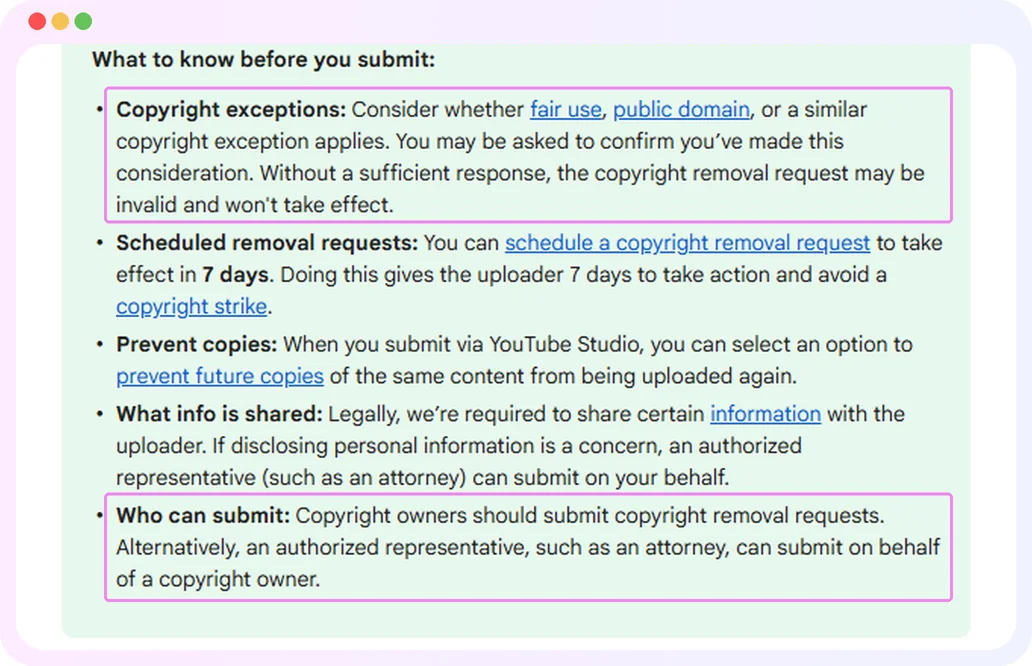
YouTube’s Submit a copyright removal request page lists what to know first. Four things matter most:
- Who can file. The copyright owner, or an authorized representative such as an attorney. Not sure the work counts? Read how to know if your content is copyrighted.
- Fair use. YouTube asks you to consider fair use, public domain and similar exceptions, and may ask you to confirm it. Without a sufficient answer, the request may be invalid.
- What the uploader sees. YouTube may share your full legal name, your email address and your description of the work with the uploader. The copyright owner’s name is shown in place of the removed video. Your address and phone number stay confidential unless a lawsuit requires them.
- The exact links. Copy the address of each video in the form youtube.com/watch?v= followed by its ID, or youtube.com/shorts/ followed by its ID for a Short.
Worried about the uploader seeing your name? A service like Bruqi can file for you as your authorized representative. Its takedown notices carry Bruqi’s company details, so your name, email and address stay off them. See is this anonymous?
How to get a YouTube video taken down with the copyright form
To get a video removed from YouTube, file the copyright form in YouTube Studio. YouTube says it is the easiest way to file, and it is where you choose the Prevent copies option.
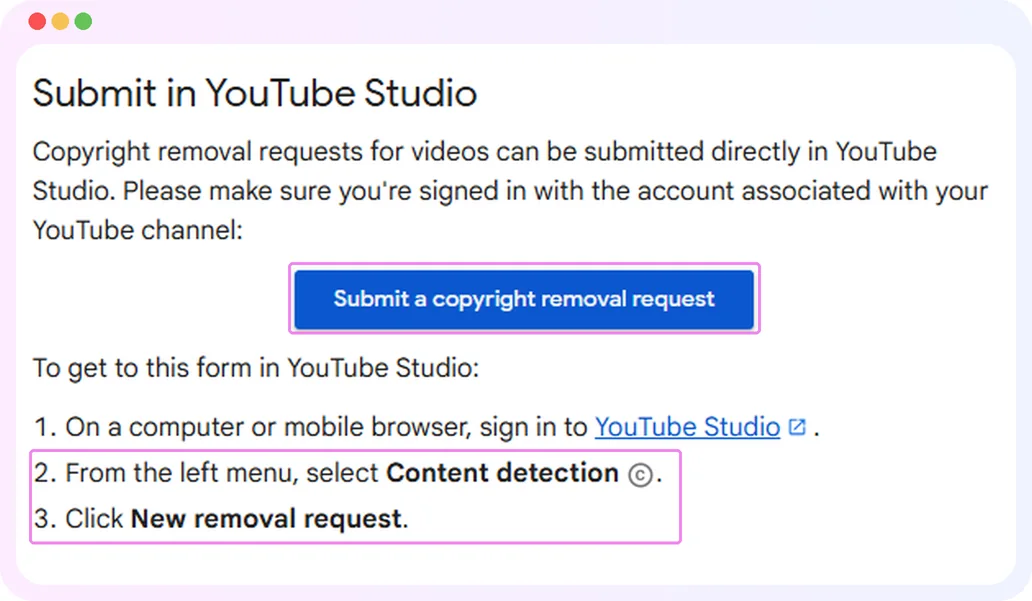
Step 1. Sign in to YouTube Studio
On a computer or a mobile browser, sign in to YouTube Studio with the account linked to your YouTube channel.
Step 2. Open a new removal request
From the left menu, select Content detection, then click New removal request. This opens the YouTube copyright complaint form.
Step 3. Describe your work and add the video links
Give a clear description of the copyrighted work. If several of your works were copied, YouTube accepts a representative list of them.
Then add the direct link to each video or Short that copies it.
Step 4. Choose your removal options
Under Removal options, select the box next to “Prevent future copies of this content from appearing on YouTube.” YouTube then tries to block new uploads of the same video.
Select Prevent copies before you submit. YouTube says it cannot be added to a request afterward.
Prevent copies is only for worldwide exclusive rights, which means you or the client you represent control the content worldwide. Short clips may not be blocked.
YouTube also lets you schedule a request to take effect in 7 days. That gives the uploader 7 days to delete the video and avoid a copyright strike.
Step 5. Confirm the legal statements and sign
You state in good faith that the use is not authorized, and under penalty of perjury that your information is accurate and that you own the rights or may act for the owner.
Sign with your full legal name. YouTube means a first and last name, not a company name.
Step 6. Follow your request
Your past requests are in YouTube Studio under Content detection, on the Removal requests tab.
YouTube copyright email and other ways to file
YouTube’s copyright email address is copyright@youtube.com. Put the whole notice in the body of the email, not in an attachment. Email, fax or mail is also the route for content that is not a video, such as a channel banner.
The notice has five parts: your contact info, a description of your copyrighted work, the direct links, the two legal statements and your signature.
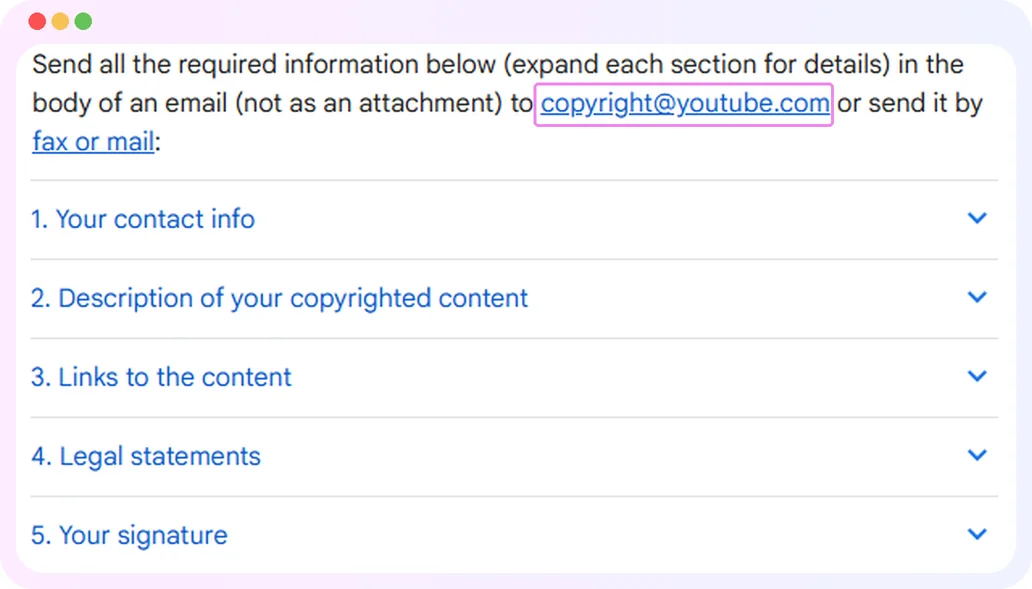
By fax, the number is +1 650 872 8513. By mail, write to Copyright Operations, YouTube (Google LLC), 901 Cherry Ave., San Bruno, CA 94066, USA.
The U.S. Copyright Office lists what a takedown notice must contain.
YouTube copyright claim vs strike
A YouTube copyright claim affects one video, while a copyright strike counts against the uploader’s whole channel. A claim comes from Content ID, YouTube’s automatic matching. A strike follows a valid copyright removal request, the kind this guide files.
What a YouTube copyright claim does
The owner’s settings decide whether the claimed video is blocked, shows ads that earn for the owner, or is only tracked. YouTube says claims usually do not affect the channel.
What a YouTube copyright strike does
The video is removed. Three strikes within 90 days make the uploader’s account and its channels subject to termination, and that person cannot create new channels.
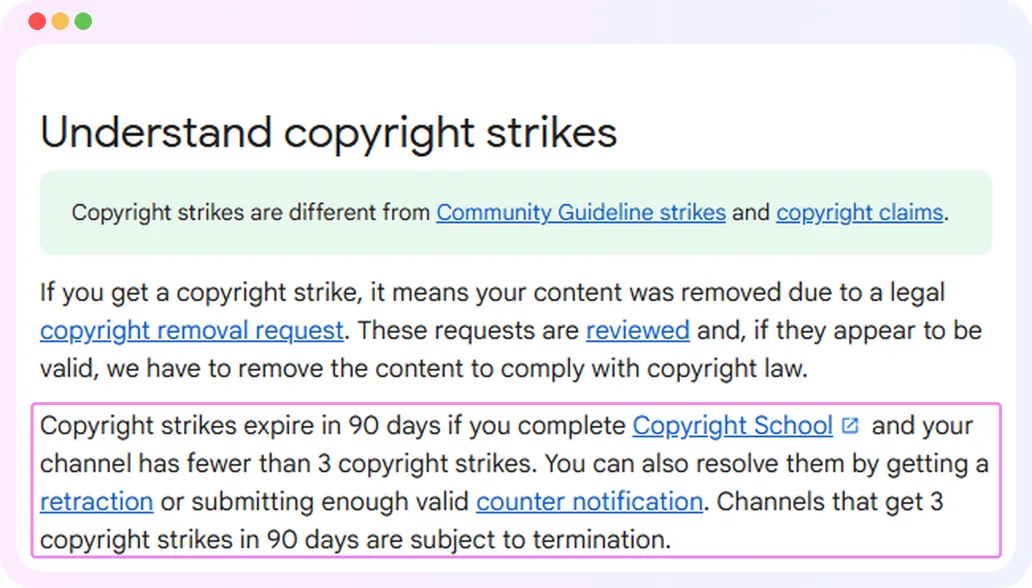
A strike expires after 90 days if the uploader completes Copyright School and has fewer than 3 strikes. It is also resolved by a retraction or a valid counter notification, as YouTube’s copyright strikes page explains.
For you as the owner, this means an uploader who keeps reposting your videos can lose their account.
YouTube Content ID
Content ID is YouTube’s automatic system that scans every upload for matches. YouTube gives it only to owners of exclusive rights to a substantial body of original material that is often uploaded, so most creators do not have it.
YouTube Copyright Match Tool for creators
The Copyright Match Tool is the one most creators can use. It is open to any channel that has filed a valid copyright removal request, and channels in the YouTube Partner Program find it on the Copyright page in YouTube Studio.
It looks for full or nearly full reuploads of your videos on other channels, uploaded after yours. Short clips may not show up. For each match you can request removal, contact the channel or archive the match. YouTube’s Copyright Match Tool page has the details.
Content ID and the Copyright Match Tool only look at YouTube. Copies of your content on other sites need their own takedowns.
When it is not copyright, file a YouTube privacy complaint
If you appear in a video you did not make, a YouTube privacy complaint is usually the right route, not a copyright request. YouTube’s privacy guidelines cover your image or full name shared without your permission, and AI used to copy your face or voice.
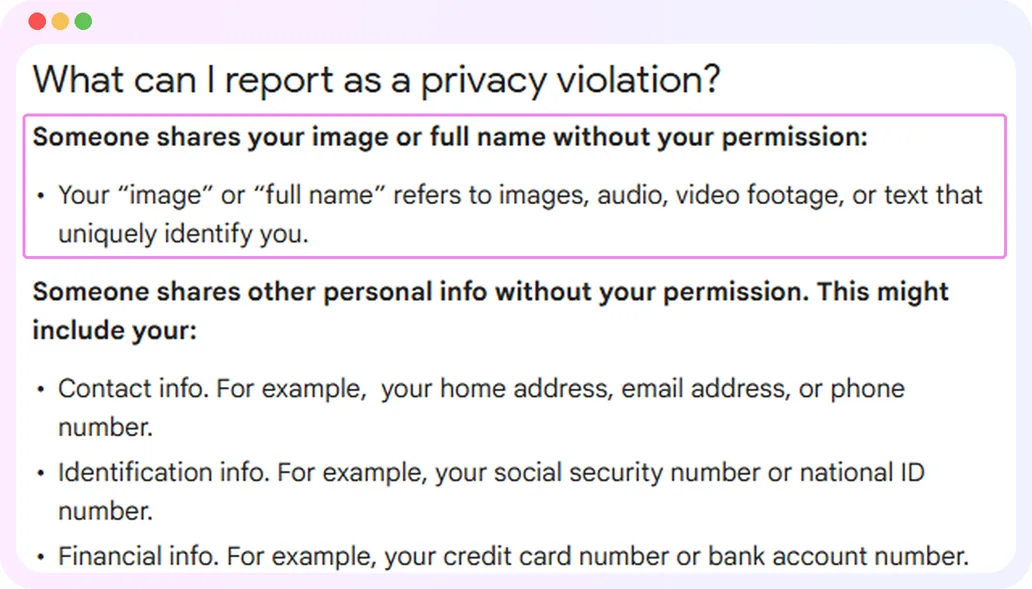
The complaint must come from you, with exceptions such as a parent or a legal representative, and you must be uniquely identifiable in the video. YouTube says it does not share your name or contact details with the uploader.
YouTube may give the uploader time to remove or edit the private information first. Making the video private does not count. For other limits of copyright, see what can and can’t be removed with DMCA takedowns.
A channel pretending to be you falls under YouTube’s impersonation policy, and you can report the channel as that page describes.
What happens after a YouTube DMCA takedown
YouTube checks the request for completeness and validity. If information is missing, YouTube contacts you, and the video may stay up in the meantime.
Can the uploader counter it?
Yes. A counter notification is the uploader’s legal request to restore the video, for example because they believe it is fair use. YouTube forwards a valid one to you, with the uploader’s contact details.
You then have 10 U.S. business days to send YouTube evidence of legal action to keep the video down. Without it, YouTube reinstates the video. If you receive a counter notification, talk to a lawyer.
Can you take a request back?
Yes. You can retract it in YouTube Studio, or by email to copyright@youtube.com from the address you filed from. A retraction clears the strike and restores the video.
Common mistakes with YouTube copyright removal requests
- Reporting a channel or playlist. YouTube needs the link to each video.
- Sending the notice as an attachment. An emailed notice goes in the body of the email.
- Signing with a company name. The signature is your full legal name.
- Using copyright for a privacy problem. If you are in a video someone else made, use the privacy complaint.
- Filing a claim you cannot stand behind. YouTube warns that fraudulent requests may lead to the termination of your account or other legal consequences.
When to use a takedown service for YouTube
A service makes sense when your videos keep coming back on new channels, or when the same leaks also sit on other sites. One request removes one upload, and finding every copy is the slow part.
Option A: do it yourself. File in YouTube Studio, select Prevent copies, and check the Copyright Match Tool for new matches. For other platforms, the removal guides cover Instagram, Facebook, Reddit and X. If a site with your leaks is not there, the free hosting checker shows who hosts it.
Option B: let Bruqi handle it. Bruqi keeps looking for new copies and handles the takedowns, so you do not file each one yourself. Removals on YouTube itself start from Creator Pro, at $99 a month, which also adds daily removals and impersonator takedowns. Top 1% removes hourly.
See the DMCA takedown service, why creators use one, or compare plans.
YouTube DMCA FAQ
Does YouTube take reports seriously?
Yes. YouTube reviews every copyright removal request with automated systems and human reviewers, and a valid request gets the content removed.
Can a copyright claim be removed?
Yes. The uploader can trim or mute the claimed part, or replace the song, which removes the claim. They can also dispute it. The claimant has 30 days to respond, and a claim with no answer expires.
How to copyright strike a YouTube video?
You do not give the strike yourself. You file a copyright removal request, and if YouTube finds it valid, it removes the video and the uploader’s channel gets the strike.
What to do about a false copyright claim on YouTube?
Dispute it, but only if you are sure you have the rights or a valid exception such as fair use. Giving credit is not a valid reason. If the video was removed with a strike, ask the claimant to retract it or file a counter notification.
How to copyright a YouTube video?
Your original video is protected without any filing. The U.S. Copyright Office says a work is under copyright protection the moment it is created and fixed in a tangible form. You need to register only to sue over a U.S. work.
Is there a YouTube copyright checker?
Yes, for your own uploads. The Checks step in YouTube Studio searches your video for copyrighted content during upload, and YouTube says its results are not final.
How much does a DMCA takedown cost?
YouTube’s help pages list no fee for a copyright removal request. A service that files for you charges one. Bruqi’s paid plans start at $29 a month, and its DIY plan is free.
How long do DMCA takedowns take?
YouTube gives no review time on its help pages. See how long DMCA takedowns take for what to expect from platforms, search engines and hosts.
Not legal advice. This guide describes YouTube’s copyright removal process as of November 2026.